

Popular Searches
These are the questions we hear a lot and you'll find the answers below. But if you have others, please don't hesitate to contact us — we're here to help.
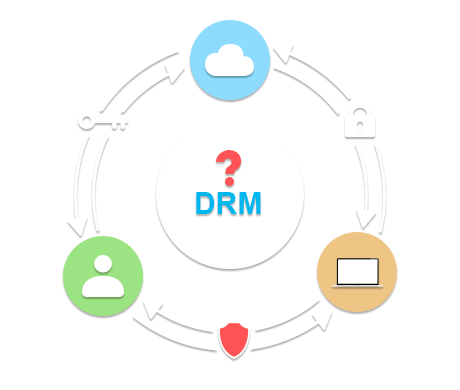
In order to protect your multimedia contents, Haihaisoft provides the secure encryption way for you. Haihaisoft DRM-X Protect files Tutorial:
1. You need register a DRM-X account on DRM-X platform:
License Profile is the encrypt profile. For example, you can named the profile that the name is "Junior Class Video". You can click the License Profile button on the left panel in your DRM-X account, you will see six license profiles which DRM-X platform has created for you. You can edit right settings when you click "Edit" button. Of course, you can add a new License Profile with you set License Rights. A License Profile can include multiple rights, so the end users can choose which license rights they want to buy.
Haihaisoft HUPlayer is a powerful media player which supports almost all popular digital media formats and can also play digital media file protection by DRM-X 3.0 platform. Haihaisoft HUPlayer download link and view more: www.haihaisoft.com/huplayer.aspx
Haihaisoft PDF Reader is a free PDF document Reader and Printer, with very small size (only 3.4 MB), extremely fast launch speed and rich feature set. It is a powerful PDF Reader with built-in 39 languages. Haihaisoft PDF Reader download link and view more: www.haihaisoft.com/PDF_Reader_download.aspx
DRM-X offers you a robust content copy protection solution. It prevents the reproduction of films, music and PDF ebooks.
Haihaisoft DRM-X stops unauthorized distribution of your protected file, and controls what users can do with them and how long they can be watched.
With DRM-X protect content owner's digital media files, you will never worry about distribute your content. The end users need install Xvast browser (DRM-X 4.0's client software), HUPlayer (DRM-X 3.0's client software) and PDF Reader to access the protected files. They must obtain a license and each license is uniquely assigned to each computer. This prevents illegal distribution of digital media files.
In the past, owners of valuable content could not turn to a trusted and viable option for the licensing, distribution and sale of their digital products like e-books, music, movies and other copyrighted works online.
Today, the proven leader in on-demand digital rights management (DRM), Haihaisoft DRM-X empowers customers to stand out from the crowd. The digital content has been protected by the DRM-X. Users need to download DRM license from DRM-X server first time when they open the protected files. DRM-X protects digital media files and documents with a DRM license key to maintain content protection, even if these files are widely distributed. Each DRM license is uniquely assigned to each computer. This prevents illegal distribution of digital media files and documents.
The DRM tools or DRM packager is the encrypting tool for protecting media files.
You can use latest Haihaisoft DRM-X 3.0 Protect Audio/Video and PDF Tool to encrypt your digital media files. First you need login your DRM-X 3.0 account DRM-X 3.0 Protect Audio/Video and PDF Tool.
Haihaisoft DRM-X 4.0 Xvast Packager or Haihaisoft DRM-X 3.0 Protect Audio/Video and PDF Tool support batch encrypt multiple files under the same license profile. All of your information is encrypted and highly confidential. Learn more about compare DRM-X version...
With Haihaisoft DRM-X content protection, you can securely deliver your protected content through CD/DVD (CD DRM), online download(PC DRM), U-Disk copy.
The files are always protected. No matter who downloads your secure files or where your content transferred. Because they the content can be opened unless users have been authorized and obtained a license.
The end users open the protected files by Xvast browser (DRM-X 4.0's client software), HUPlayer (DRM-X 3.0's client software) or HaiHaisoft PDF Reader. Then it will pop up the license acquisition window, the user need to login, pay it and will get the license to play these files.
Haihaisoft DRM-X gives you total control over who accesses your digital content and under what terms, enabling you to increase revenue, bring products to market faster and attract new customers.
DRM films or DRM songs is the protected movies or music by DRM technology. DRM is used to describe any technology which restricts the ability to make unauthorized use of such digital content.
Haihaisoft DRM-X will help you protect your contents. The content owner just needs to register an account online, and then they can easily protect and deliver their content.
Haihaisoft DRM-X enables a wide range of business models to be applied to virtually any type of digital content — including music/song, video, film, PDF document and more.
DRM-X "locks" the music/song, video, film, PDF document with a license key to maintain content protection, even if these files are widely distributed. The end users play the protected content and need get a license by HUPlayer (DRM-X 3.0's client software), Haihaisoft Universal Player or Haihaisoft PDF Reader. Each license is uniquely assigned to each computer.
In order to meet the requirements of DRM-X on mobile equipment for the enterprises. Haihaisoft provides the customization and technical support service of HUPlayer (DRM-X 3.0's client software) and PDF Reader for Mobile and Embedded Devices.
To help enterprises solve the technical challenges of mobile platform, Haihaisoft provides device manufacturers, content providers and operators with mobile detailing solutions.
Haihaisoft is able to customize and develop for HUPlayer and PDF Reader on multiple platforms, for example, Linux, Google Android, Embedded Linux and IPTV set top box.
Now Haihaisoft DRM-X has two versions that include DRM-X 3.0 and DRM-X 4.0.
Haihaisoft offers Monthly Subscription service for DRM-X 3.0 and DRM-X 4.0. DRM-X 3.0 and DRM-X 3.0 includes 5 types of accounts: Basic, Premier, Business, Business Pro and Enterprise account. Monthly fee from $50 to $400 and the monthly fee include free licenses from 100 to 3,000.
You can make payments on monthly basis. Protecting your digital media content and documents have never been so easy, after a simple registration process, you can enjoy the benefits brought by the world's leading DRM technology.
Click here to DRM-X 4.0 fees, features and benefits in details...
You may choose the DRM version according to your requirements. How to buy Haihaisoft DRM-X? Haihaisoft provides for several payment options: * PayPal Online Payment Service Paypal accepts: Visa, MasterCard, American Express and Discover. To buy DRM , Haihaisoft DRM-X Paypal account is: media-drm%haihaisoft.com (Please change % to @) * Bluesnap
Haihaisoft doesn't only provide software, but DRM as a Service. All software are kept updating to against pirates. We also provide Online Help Center and Expert contacts to help you solve the problems.
Haihaisoft DRM-X is currently available in Spanish, English and Chinese.
1. Spanish: please visit https://www.drm-x.com/?lang=es 2. English: please visit https://www.drm-x.com 3. Chinese: please visit http://cn.drm-x.net
Haihaisoft provides a series of DRM related services to add additional value for customers, including add customers' logo and customize HUPlayer, Haihaisoft Universal Player and Haihaisoft PDF Reader to build customers' brand.
Haihaisoft DRM services help and make your success. We provide constant and reliable services with Online Help Center and keep updating for our customers.
Haihaisoft DRM support:
Online Help Center: DRM-X Enhanced Instant Messenger Support: Talking to DRM-X experts: 1. Microsoft Teams:Click to add our Teams account 2. MSN: haihaisoft@live.cn 3. GTalk: Joseph@haihaisoft.com Email Support: service%haihaisoft.com (Please change % to @) or https://www.haihaisoft.com/Contact.aspx
Troubleshooting of HUPlayer Issues: https://www.drm-x.com/xdrm-help/274-HUPlayer_FAQ.aspx
Troubleshooting of Haihaisoft PDF Reader Issues: https://www.drm-x.com/xdrm-help/268-FAQ_For_Haihaisoft_PDF_Reader.aspx
If you have any others questions, please feel free to contact us. https://www.haihaisoft.com/Contact.aspx
What is DRM? DRM is an acronym for Digital Rights Management.
DRM technology has enabled publishers to enforce access policies that not only disallow copyright infringements, but also it brings more value to content providers.
Content providers or Companies usually desire to allow distribution of digital assets through many digital distribution channels including CD, DVD, online download, P2P network share and U-Disk copy.
DRM-X 3.0 is the new DRM technology developed by Haihaisoft. With DRM-X 3.0, it delivers breakthrough experiences across platforms and devices. It is a new content protection solution expands reach of protected movie, music, e-book or literature to Mac and iOS.
DRM-X 3.0 Protect Audio/Video and PDF Tool, content publishers can rely on robust protection for premium content to support new emerging business models for rich, interactive online experiences. Content providers can easily set DRM rights settings. It is faster and more secure.
Haihaisoft DRM-X 3.0, the media content security is delivered by of a combination of different features - encryption, controls (digital rights management controls), acquire license etc. - that are relevant to the overall controls you wish to achieve.
Content providers can register a free trial DRM-X account and enjoy powerful features to their content. Learn more DRM-X features...
Haihaisoft DRM-X content access technology provides the premier platform for applying business models to the distribution of digital content.
To learn more about Haihaisoft DRM-X platform, content provider can register a free DRM-X account on the DRM-X.com platform and make DRM-X test.
Get DRM-X.com access free 90-day full function trial. Content providers can easily apply DRM-X's advanced rights protection technologies. Such as:
• Protect Audio/Video, Flash Movie and PDF. • DRM-X Account Control Panel. • License Reports. • Free HUPlayer. • Free Download Haihaisoft PDF Reader. • Blacklist. • Authentication combined with end users' Computer or Device Hardware ID. • Dynamic Watermark.
The free trial DRM-X account including above all functions, please click here upgrade your DRM-X account.Protect your content now!
Haihaisoft DRM-X solutions provide the capability to license, securely distribute and protect playback of multimedia and PDF content on Windows, Mac computers, iOS, and Google Android devices.
Haihaisoft DRM-X solutions offer on-demand solutions that meet the varied needs of digital content trade business; it consistently drives many content providers to success.
Haihaisoft solutions combine the most powerful functionality, proven seamlessly integration, global capabilities and the best user experience, the result is DRM made you success.
Haihaisoft provides a complete suite of tools, powerful customization to protect content and a series of solutions, DRM solutions including, DRM for Mobile Phones and Portable Devices solution, CMS (content management system) solution, media batch encoding solution and media streaming solutions to meet customers' needs.
Content providers can send their requirements to Contact us (LINK) and Haihaisoft provides customize solutions for them to meet their needs.
Learn more about Haihaisoft's Powerful Solutions For Your Business.
DRM-X is an end-to-end system that offers content owners and service providers a flexible platform for the secure distribution of digital media files, the rights of authors and publishers can limit the accessibility of the unauthorized users.
To play the protected file by Xvast browser (DRM-X 4.0's client software), HUPlayer (DRM-X 3.0's client software) and PDF Reader, it will pop up the license window immediately. The end users need to enter username and password and make payment to acquire a license to play. It is easy and secure.
Haihaisoft DRM-X Tutorial teach you how to create DRM protection with the contents: Protect Audio/Video and PDF.
Haihaisoft provides the open source DRM solution about integrate DRM-X platform with content owners own system by consuming Haihaisoft DRM-X XML web service.
The Haihaisoft DRM-X XML web service provides the interface that content owners' website can deliver license to customers. For example, when a customer ordered a protected content from content owners' website, when customer plays the content, it will prompt content owners' website customized login page, after customer input Username and Password of content owners' websites account and done the payment, the customer will get the license immediately to play the protected file.
Here are two integration methods:
Haihaisoft's development team has rich experiences in ASP, ASP.net, PHP and JSP enables integrate content owners' existing or other third-party systems seamlessly and remain open to customization.
Content owners could read the Haihaisoft DRM-X XML Web service free demos or documents online and integrate with their system by their developers.
Due to the multimedia capabilities on Internet, the Flash video/movie has become the technology of choice for training course companies.
Haihaisoft DRM-X is the technology that allows content providers to encrypt their Flash video/movie, authenticate the consumer's request for a license and issue DRM license to the end users.
Content providers can use Haihaisoft DRM-X Online Packager to protect the Flash video/movie, lock it with a key. To ensure high security, the protected file can only be played by free HUPlayer (DRM-X 3.0's client software), Haihaisoft Universal Player (DRM-X 1.0 and 2.0's client software) and PDF Reader after customer obtained licenses.
Haihaisoft DRM-X 1.0 released a new version of Online Audio/Video Packager that supports new Haihaisoft Smart Streaming (HSS). New Haihaisoft Smart Streaming not only supports the protected WMV/WMA streaming, but also provides the protected FLV (Flash DRM) streaming. Any user can connect to content providers' website and play the content by using Haihaisoft Universal Player ActiveX control in IE.
The latest release of Haihaisoft DRM-X 3.0 technology is a flexible and powerful platform based-on Haihaisoft's own DRM engine that makes it possible to protect, deliver and play music and video on computers.
Haihaisoft DRM-X ensures digital media file protection in the operating system with Windows /XP/2003/Vista/7.
DRM-X 3.0 does not only supports Windows/XP/2003/Vista/7 system, but also supports Mac, iPhone, iPad, iPod Touch. DRM-X 3.0 is cross DRM and mobile DRM platform. It helps content providers reach more customers and deliver their secure and valuable digital media files.
Licenses to play digital media files can specify start times, end times and license duration limits.
What is DRM manager? DRM manager is the technology that allows content owners to encrypt their digital media files. They can use Haihaisoft DRM-X Manager to protect them and issue licenses.
Haihaisoft DRM-X manager is a powerful platform that control panel for protecting Audio/Video and PDF documents. Content owners can manage license rights, permissions, users and customized configuration in My Account on DRM-X.com.
Haihaisoft DRM-X is used by companies around the world to help grow revenues, increase customer satisfaction and reduce expenses. DRM-X enables to protect content owners' digital media content and PDF document easier.
With DRM-X manager, content owners can set the DRM license rights with price, play count, valid period, dynamic digital watermarking. Content owners can also edit the users' usernames and passwords in DRM-X account, manage users access rights, and users' hardware binding information. To help content owners achieve a variety of business models, including the number of playing to pay, by the time charges, according to the number of users purchase video, monthly fees and so on.
Haihaisoft, the world leader in on-demand digital rights management, Haihaisoft software empowers customers to stand out from the crowd. We do so by delivering the most innovative technology and making it as easy as possible to securely share and manage business information. Our solutions combine the most powerful functionality, proven seamlessly integration and the best user experience, the result is: made you success.
From its inception, Haihaisoft has focused on providing the highest secure system and the best user experience possible. Haihaisoft developed the complete and free Xvast browser (DRM-X 4.0's client software), HUPlayer (DRM-X 3.0's client software) and PDF Reader for users.
• With powerful features and simple operation. • Everyone can get started easily and afford it. • All information is highly secure and users' privacy is protected. • System is consistently and continually updating to against pirates.
Haihaisoft's services and solutions are deployed by companies in the entertainment, consumer electronics, gaming, software, information publishing and corporate IT markets to solve industry-specific challenges.
Learn more about Haihaisoft DRM clients' news.
Haihaisoft has stopped providing media-drm and we recommend customers upgrade to the latest DRM-X 4.0 system.
Haihaisoft Media-DRM (Digital Rights Management) is a powerful service platform based-on Windows Media Technology (MS DRM) and web. Today, Haihaisoft provides content publishers with online payment services to sell and deliver music, video and other digital media content over the Internet in an encrypted file format.
Content publishers can download Media-DRM packager to encrypt content and manage rights and profiles on Media-DRM. Media-DRM makes it easy to protect and securely deliver content by subscription or individual request for playback on a computer, or portable device, such as windows mobile, PDA and mp3 player.
Windows Media DRM component is in Windows Media Format SDK. Sometimes Windows Media DRM refuses licenses to applications that use a DRM component that is known to be damaged or corrupted. So the end users need upgrade for the DRM components when they get license at the first time. Users may encounter errors when upgrade DRM components.
Haihaisoft DRM-X can help the end users to avoid and solve these issues. DRM-X doesn't need DRM components upgrade To play the protected file by DRM-X, the end users only need to install free Xvast browser (DRM-X 4.0's client software), HUPlayer (DRM-X 3.0's client software) or PDF Reader to get licenses. Licenses are issued independently of the actual films, music and PDF ebooks, providing maximum flexibility and allowing wide distribution of content.
DRM 11 is Microsoft PlayReady. Learn more about pro DRM, content publishers can visit and make test on Haihaisoft DRM-X.com.
Haihaisoft provides a total secure Digital Rights Management - DRM-X solution to protect content publishers' digital content. With more than 6 years of DRM research and development experience, Haihaisoft team has a proven track record of offering a robust hosted DRM-X platform.
DRM-X is the new DRM technology developed by Haihaisoft. The latest version of DRM-X digital rights management (DRM) is a flexible and powerful platform that makes it possible to protect and securely deliver documents and media files on-line. DRM-X offers the widest range of purchase and rental options for digital media and documents, like e-books, movies and music.
Haihaisoft DRM-X is a robust DRM service platform includes a set of tools, includes Online DRM-X Packagers, Xvast browser (DRM-X 4.0's client software) or HUPlayer (DRM-X 3.0's client software) and Haihaisoft PDF Reader and online control panel enables content publishers securely delivery their digital files on the internet.
With DRM-X, all content publishers' sales can be automated, and their customers can sign up, pay (online with a credit card) and receive licensed immediately to view protected content. Content publishers never need to worry about copy and share the content, because content needs to be played with license while the license cannot be shared. So, content publishers' content can not be shared and they can control all the rights of their content. Content publishers could monetize their content with DRM-X easily.
The content providers deliver the protected digital media content by DRM-X to the end users. Some content providers want to modify the rights with their protected digital media content that have been distributed. They can reset DRM license rights on DRM-X account and then edit the right in details. And content providers can update DRM-X rights settings without need to encrypt the files again. Because licenses are issued independently of the actual media files and documents, the user can obtain the new rights licenses when exist rights were expired.
Haihaisoft DRM-X updates DRM-X system to enhance security. DRM-X usually updates system 10 to 15 times every year.
Haihaisoft DRM-X is a simple to use and web-based administration system lets content publishers control their secure digital media files and they can revoke access in real-time even after distribution.
Haihaisoft DRM-X enables content service providers to offer new business models designed to expand the market for online content. For more information, see Scenarios for Haihaisoft DRM-X. Among other benefits:
It speeds up the process of acquiring or renewing licenses in large content libraries, improving customer satisfaction with the online service. The flexibility of the platform also makes it possible to offer content samples or trials that are good for a specified duration, and for content to be distributed between consumers while keeping the content protected. In short, content service providers have a wide variety of vehicles to attract and maintain different target audiences.
The following DRM-X functions link to help content publishers realize which of these technologies is appropriate for their needs.
DRM-X "locks" digital media file with a license key to maintain content protection. The protected file has been encrypted and locked with a key. This key is stored in an encrypted license, which is distributed separately.
Haihaisoft DRM-X encrypts content and associates it with a right permission. The permission specifies rights and users for the content: who can view the content, when it can be seen and how long it can be played (its expiration date).
Consumers who are using Xvast (DRM-X 4.0's client software) or HUPlayer (DRM-X 3.0's client software) and Haihaisoft PDF Reader can acquire authorization and/or authentication to view the content. DRM-X issued a decryption license key (DRM key) that enable consumers to play the content. Licenses are issued independently of the actual documents and media files, providing maximum flexibility and allowing wide distribution of content.
Each time the end users play the protected files with DRM-X, HUPlayer, Haihaisoft Universal Player or PDF Reader checks to see if the user's computer has a license. The users who do not have a valid license are directed to a license acquire page. Content providers can provide unique credentials to their users to help control access to content.
Content providers just need to register a DRM-X account online and easily get the world's leading DRM-X platform. Haihaisoft DRM-X enables business to maximize the value of their digital content products. Register Now!
Haihaisoft specializes in DRM (Digital Rights Management). DRM-X enables content owners' secure content are delivered to PC (Windows/Mac), Mobile (Google Android), iOS(iPhone/iPad), and portable devices (Google Android). Content owners can manage their protected digital content's rights in DRM-X account control panel.
DRM-X contains a number of features that protect the content file and enables new flexible business models. Learn more about features...
Content owners just need download DRM-X Online Packager and install it to protect their digital media files. DRM-X Online Packager reads all the DRM license profiles and rights settings that content owners defined in DRM-X account.
To play the digital media file, the consumer need download Xvast browser (DRM-X 4.0's client software) or HUPlayer (DRM-X 3.0's client software) and PDF Reader and download DRM license to play. The protected file can only be played by the person who has obtained a license.
Content owners can securely deliver their DRM-X protected content by anyway.
Other Related FAQs Entries
Questions?
Our reps have answers.
Ask about Haihaisoft products, pricing, implementation, or anything else — our highly trained reps are standing by, ready to help.
Contact Us